
Your book, read to you
Book Reader Aloud
Open an EPUB and hear it from chapter one. This book reader aloud skips the front pages, shows how long each chapter takes and stops when you fall asleep, then picks up where you drifted off.
EPUB, DOCX or TXT · stays on this device · no account
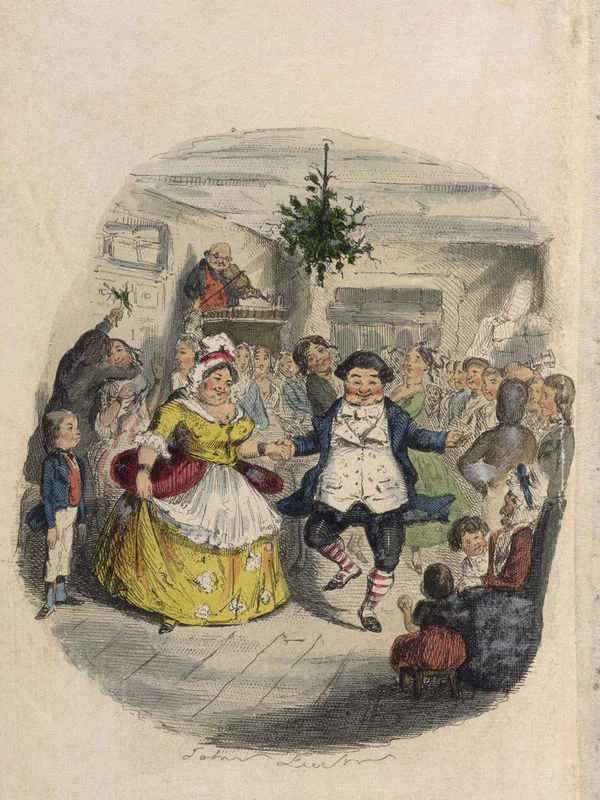
A Christmas Carol
Charles Dickens · 1843
5 chapters · 3 h 4 min
 Narrated by: Rupert (AI Voice)
Leaves out Title Page, Contents, Preface, and starts at chapter one
- Stave I: Marley's Ghost42 min
- Stave II: The First of the Three Spirits40 min
- Stave III: The Second of the Three Spirits54 min
- Stave IV: The Last of the Spirits35 min
- Stave V: The End of It15 min
- title pages, contents and licences skipped
- Chapter one
- sleep timer, or the end of the chapter
- 15 to 60 min
- your books stay in this browser
- 0 uploads
- natural voices in 9 languages, on credits
- 40 AI narrators
What is a book reader aloud?
A book reader aloud is a tool that reads an ebook to you. It opens the file, finds the chapters and speaks one sentence at a time while lighting it up on screen. Some are phone apps, some are built into reading apps, and some, like this one, run in a web browser with nothing to install: choose a book, press play and listen.
How to use the book reader aloud in 3 steps
Everything starts with “Open a book”. Nothing is installed, and nothing is uploaded.
Open an EPUB
Press “Open a book” and choose an EPUB, DOCX or TXT file; it opens in the reader, in your browser, in about a second. No book to hand? “Listen to a sample book” opens A Christmas Carol, cover and all.
Listen from chapter one
The book reader aloud leaves out the title page, the contents and any licence, and starts at the first chapter, lighting each sentence as it is read. Every chapter sits in one list with its length, so you can jump to any of them.
Set a sleep timer, pick up tomorrow
Choose “End of chapter” or 15 to 60 minutes. The voice fades over the last 15 seconds and stops at the end of a sentence. Next time the book waits on your shelf, with “Go back 2 minutes” in case you dozed off first.
What this book reader aloud does for a whole book
Made for hearing a book from its first chapter to its last, a few chapters at a time.
Starts at chapter one, and says what it skipped
Many readers open on a copyright page or a licence and read it to you. This book reader aloud leaves out the title page, contents, licence and other front and back matter, says how many parts it skipped, and shows them again with one click. In A Christmas Carol it skips 3 and begins at Stave I.
A sleep timer that fades out
Pick the end of the chapter, or 15, 30, 45 or 60 minutes. Over the last 15 seconds the voice grows quieter, then it stops at the end of a sentence rather than in the middle of a word. A pause holds the countdown, so getting up for water costs you nothing.
Pick up where you drifted off
When the timer stops a book, the book reader aloud marks it on your shelf. Next time you can carry on from where it stopped, or go back about 2 minutes to the start of a paragraph: the last minutes before sleep are usually the ones you missed.
Know how long is left
Under the controls, the book reader aloud shows the minutes left in this chapter and the hours left in the book, at your speed. The estimate learns from the voice you are hearing, so it stays close when you speed up or slow down.
A book reader aloud that keeps your books on this device
The book is read in your browser and never uploaded. Up to 20 books wait on a shelf in this browser, each at its own sentence, and open with one tap, without choosing the file again. A book you have not opened for 30 days is cleared.
Every chapter in one list
On a computer the book reader aloud puts the chapters beside the text; on a phone they are in a menu. Each shows its length, a tick once you have heard it, and a mark on the one you are in. Tap any chapter to start at its first sentence.
AI narrators, or free browser voices
Every whole-book feature above works with both. The voice is the difference, and what it can do for you.
Book reader aloud: a short guide
How to get a book read aloud to you
There are four ways to have a book read to you, each suited to a different moment. If you have ever typed “read book to me” into a search box, the quickest is a web tool, because there is nothing to set up.
A book reader aloud on the web, like this page, opens your own file in the browser and works the same on a computer, a tablet and a phone. The four ways:
- 1Web tools: open a page, choose an EPUB and listen. This page is one.
- 2Apps: installed on a phone or computer, often with a library and offline listening.
- 3A reading app’s own feature, such as Assistive Reader in the Kindle apps, for books bought in that store.
- 4System features: Speak Screen on iPhone and iPad, or Select to Speak on Android, for a page or two in any app.
Which books open in a book reader aloud
This reader opens EPUB files, Word documents (DOCX), plain text and Markdown, up to 100 MB, all read inside your browser. PDFs open too; the read PDF aloud page explains how their running headers and page numbers are left out.
Two kinds of book cannot be read, here or in any web tool:
- 1Books with DRM, which covers most books bought from Kindle, Apple Books, Kobo or Google Play and most library loans: the file only opens in the store’s own app.
- 2Scanned books, where every page is a picture of text rather than text: there are no words for a voice to read.
Not sure? Open the file anyway. If it carries DRM or has no text, the reader says so instead of reading nonsense.
Where to find EPUB books to listen to
Tens of thousands of classics are out of copyright and free to download as EPUB, ready for a book reader aloud. Both of this page’s sample books are among them.
Good places to start:
- 1Project Gutenberg, the largest library of public-domain books, with an EPUB of each.
- 2Standard Ebooks, which carefully formats public-domain books, so chapters come out cleanly.
- 3Fan fiction sites such as AO3, where most works have an EPUB download.
- 4Your own writing: export a manuscript from your word processor as EPUB or DOCX.
Setting up the book reader aloud for bed
Falling asleep to a book works best with a few choices made before you lie down. The book reader aloud keeps them with the book, so tomorrow starts the same way:
- 1Open the book from your shelf; it starts at the sentence where you stopped.
- 2Choose “End of chapter” or 30 minutes on the sleep timer.
- 3Try a slower speed such as 0.75x; it is easier to follow when you are tired.
- 4On a phone you will lock, pick an AI narrator: browser voices stop when the screen locks.
- 5Next night, press “Go back 2 minutes” if the last part is a blur.
How long it takes to listen to a book
At an easy pace of about 155 words a minute, a book of 60,000 words takes about 6.5 hours, and a short classic like A Christmas Carol about 3. The book reader aloud shows the hours left as you go; to size a book up before you start, use the audiobook calculator.
A rough guide at normal speed:
- 1A short story of 8,000 words: under an hour.
- 2A novella such as A Christmas Carol, about 29,000 words: about 3 hours.
- 3A typical novel of 80,000 words: about 8.5 hours.
- 4A long novel of 180,000 words: about 19 hours.
Listening on a phone with the screen locked
Phones treat a browser voice and audio differently when the screen locks, and that decides which voice to pick in a book reader aloud for listening in bed or on the move:
- 1AI narrators play as audio: the book keeps going with the screen locked, the lock screen shows play and pause, and headphone buttons work.
- 2Browser voices are speech that most phones pause when the screen locks; keep the screen on, or switch to an AI narrator.
- 3On a computer, either kind keeps reading while you work in another window.
Reading apps already read aloud. Why use this?
Kindle and some other reading apps can read their own books aloud, and for a book bought in their store that is the way to hear it, since the file is locked to the app.
This book reader aloud is for books that live outside a store:
- 1EPUBs from public-domain libraries and fan fiction sites.
- 2Your own manuscript, as EPUB, DOCX or TXT.
- 3Chapters to start from, the time left, a sleep timer and a shelf, in any browser.
- 4A choice of 40 AI narrators when you want a voice that sounds like a person.
When a book reader aloud helps
Six moments when listening to a book is easier than reading it.
Falling asleep to a chapter
Set the timer to the end of the chapter and let the voice fade as you drift off; tomorrow, go back 2 minutes and carry on.
Commutes and chores
Keep the book reader aloud going on the train or while you cook. The shelf remembers each book’s place, so you can switch books freely.
Resting tired eyes
After a day of screens, follow the lit sentence with half-closed eyes, or close them and just listen.
Hearing your own manuscript
Export your novel as EPUB and hear it chapter by chapter, the way a reader will meet it, from the first line on.
Fan fiction from AO3
Download a long work as EPUB and listen to it like an audiobook, with its chapters in a list and the time left in view.
Learning a language from the original
Hear a classic in English or Chinese at 0.75x and follow every sentence as it lights up, then go back a chapter to hear it again.
Book reader aloud FAQ
Quick answers on books, voices, the sleep timer, phones and privacy.
Open a book in the book reader aloud
Hear it from chapter one, set a sleep timer and pick up where you left off. Start with your browser’s voices; choose an AI narrator when you want a natural voice that keeps going with the screen locked.