How to Make a Book Trailer from Your Cover and Audiobook
How to make a book trailer in an afternoon: a 30-second script, your cover, a voice-over from your audiobook, the right size for each platform, and AI labels.
VoiceBookify10 min read
On this page
- What you need for a book trailer
- How long should a book trailer be?
- Step 1: Write a 30-second book trailer script
- Step 2: Get the pictures
- Step 3: Record the voice-over
- Step 4: Add music carefully
- Step 5: Put the book trailer together
- Book trailer sizes for each platform
- Label AI pictures and voices
- Where to share your book trailer
- FAQ
How to make a book trailer without hiring anyone: take your cover, add 20 to 40 seconds of narration (a passage from the book or a short script read aloud), put three or four lines of text on screen, and export it in the shape each platform wants. A book trailer is a short video that sells the mood of a book rather than its plot, and the simplest kind is often the one people watch to the end.
We make audiobooks and book covers, so we built a trailer from a sample cover and one of our narrators instead of repeating other guides. The numbers below (lengths, file sizes, the commands) come from that test on 15 November 2026; the platform rules come from each platform's own help pages, checked the same day.
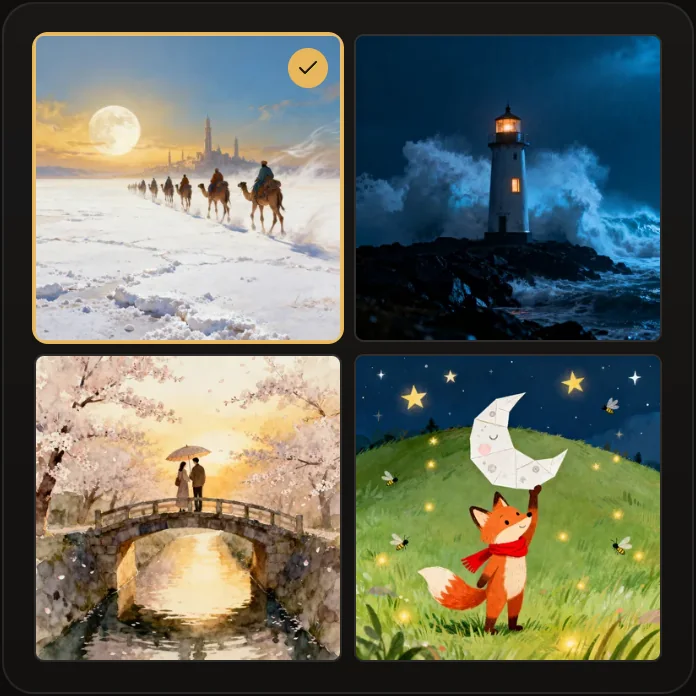 Pictures for a book trailer: the cover's pictures as our book cover generator draws them, with no words
What you need for a book trailer
| Part | What it is | Where it comes from |
|---|---|---|
| Script | 60 to 90 words: a hook, the premise, the title | You |
| Pictures | Your cover, plus one to three pictures in the same look | Your cover files |
| Voice-over | The script, or a passage from the book, read aloud | Your own voice, or your audiobook's narrator |
| Music | Optional, quiet, licensed for where you post | A music library with a clear license |
| Editor | Anything that puts pictures and sound on a timeline | Our book trailer maker, any video editor, or a command line |
How long should a book trailer be?
There is no rule. Older guides put it at one to one and a half minutes (the Alliance of Independent Authors, 2015) or 90 to 180 seconds (Writer's Digest, 2018).
Today most trailers are watched in short-video feeds, where shorter is safer: YouTube counts square and vertical videos up to three minutes as Shorts, and Instagram says reels over 3 minutes won't be recommended to new audiences. We aim for 30 to 60 seconds: long enough for a hook and the title, short enough to watch twice.
Step 1: Write a 30-second book trailer script
A trailer has room for about one idea. Ours, for a mystery called The Quiet Hour, was four short sentences:
The storm came in at nine. By ten, the lighthouse on Gull Rock was the only light left on the coast. Someone was still up there, turning the lamp. The keeper had been dead for a year.
That is 36 words. Read by our narrator Dashiell, it took 12.4 seconds, about 174 words a minute, so a 30-second voice-over is roughly 85 words and a 60-second one about 170. Count your script before you record it.
A shape that works for most genres:
- A hook in the first sentence: a strange fact, a choice, a threat.
- The premise in one or two lines: who wants what, and what stands in the way.
- The question the book answers.
- The title, the author and where to find the book, on screen at the end and held for two or three seconds.
Leave the twist out. A trailer works when the viewer wants the book to answer something.
Step 2: Get the pictures
Your cover is the picture viewers should remember, so it should be the last thing on screen. You need it in two shapes: tall for vertical video and square for square and wide video. Our AI book cover generator exports both from one design, a 1600 × 2560 ebook cover and a 3000 × 3000 square, with the title and author set in type.
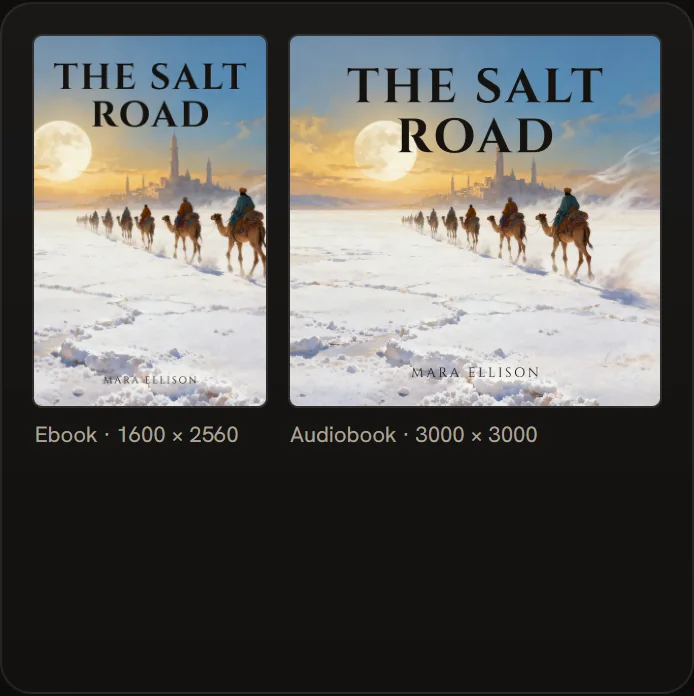 One design, two shapes: the tall cover for vertical video, the square one for square and wide video
For the shots before the cover, use pictures in the same look. The cover generator draws four pictures a round, none with words in them; clear the title and author fields and download the square file to get one without type. If you already have a tall cover and need it square, the audiobook cover maker draws out the sides and leaves the cover as it is.
Stock photos work too. Whatever you use, make sure you may use it in a video you post publicly.
Step 3: Record the voice-over
You have three options:
- Read it yourself. Find the quietest room you have, record several takes and keep the best one.
- Use a clip from your audiobook. If your audiobook is made, a passage from the opening chapter is the most honest trailer there is. Check your contract or distributor's terms before posting clips.
- Have it read by an AI narrator. Paste the script into our text to audiobook maker, pick a narrator and download the MP3. It costs 1 credit for every 1,000 characters, so a trailer script of a few hundred characters costs 1 credit.
Leave half a second of silence at the start, so the first word isn't cut off when the video starts playing.
Step 4: Add music carefully
Music sets the mood fast, but music you have no license for can get a video muted or taken down. Use only music whose license covers the place you post.
If you post on YouTube, its Audio Library has music YouTube calls "copyright-safe" for YouTube videos; some tracks are under Creative Commons, and for those "you must credit the artist in your video's description". YouTube's page gives no guidance for using those tracks elsewhere, so for a trailer you will also post on other sites, pick music whose own license says so.
Keep the music well below the voice. If you can't hear every word on a phone speaker, the music is too loud.
Step 5: Put the book trailer together
The quickest way is our free book trailer maker: add the cover, the pictures and the voice-over, paste the script, and it makes the vertical, square and wide videos in your browser, with the captions timed to the pauses in your voice. Any other video editor that puts pictures and sound on a timeline works too, following these steps:
- Put the pictures on the timeline in order, the cover last.
- Add the voice-over, then the music under it.
- Add the text lines as captions: big, short, and on screen long enough to read twice.
- Give each picture a slow zoom or a cross-fade, nothing more.
- Hold the cover with the title and author for two or three seconds at the end.
- Export at the size of the platform you post on (the table below).
The command line version
If you are comfortable with a terminal, FFmpeg makes a trailer from one picture and one sound file. These are the commands from our test. cover-square.jpg, cover-ebook.jpg and voice.mp3 are your files, and -t 14.4 is the length of the voice-over (12.4 seconds) plus 2 seconds on the cover.
A square video, 1080 × 1080:
ffmpeg -loop 1 -framerate 30 -i cover-square.jpg -i voice.mp3 -vf "scale=1080:1080,format=yuv420p" -af apad -t 14.4 -c:v libx264 -tune stillimage -c:a aac -b:a 192k square.mp4
A vertical video, 1080 × 1920, with the tall cover on a blurred, darkened copy of itself:
ffmpeg -loop 1 -framerate 30 -i cover-ebook.jpg -i voice.mp3 -filter_complex "[0]scale=1080:1920:force_original_aspect_ratio=increase,crop=1080:1920,boxblur=40,eq=brightness=-0.2[bg];[0]scale=1000:-2[fg];[bg][fg]overlay=(W-w)/2:(H-h)/2,format=yuv420p[v]" -map "[v]" -map 1:a -af apad -t 14.4 -c:v libx264 -tune stillimage -c:a aac -b:a 192k vertical.mp4
A wide video, 1920 × 1080, with the square cover in the middle:
ffmpeg -loop 1 -framerate 30 -i cover-square.jpg -i voice.mp3 -filter_complex "[0]scale=1920:1080:force_original_aspect_ratio=increase,crop=1920:1080,boxblur=40,eq=brightness=-0.2[bg];[0]scale=-2:1080[fg];[bg][fg]overlay=(W-w)/2:0,format=yuv420p[v]" -map "[v]" -map 1:a -af apad -t 14.4 -c:v libx264 -tune stillimage -c:a aac -b:a 192k wide.mp4
All three came out at exactly 14.4 seconds and about 1 MB each (945,867, 1,188,736 and 1,001,549 bytes). format=yuv420p is what the FFmpeg wiki recommends for the widest compatibility, and -tune stillimage is the H.264 setting for slideshow-like video.
The same wiki stops the video at the end of the sound with -shortest; in our test that left about 2 seconds of extra picture (14.5 seconds of video for 12.4 seconds of sound), so we set the length with -t and pad the sound with apad instead.
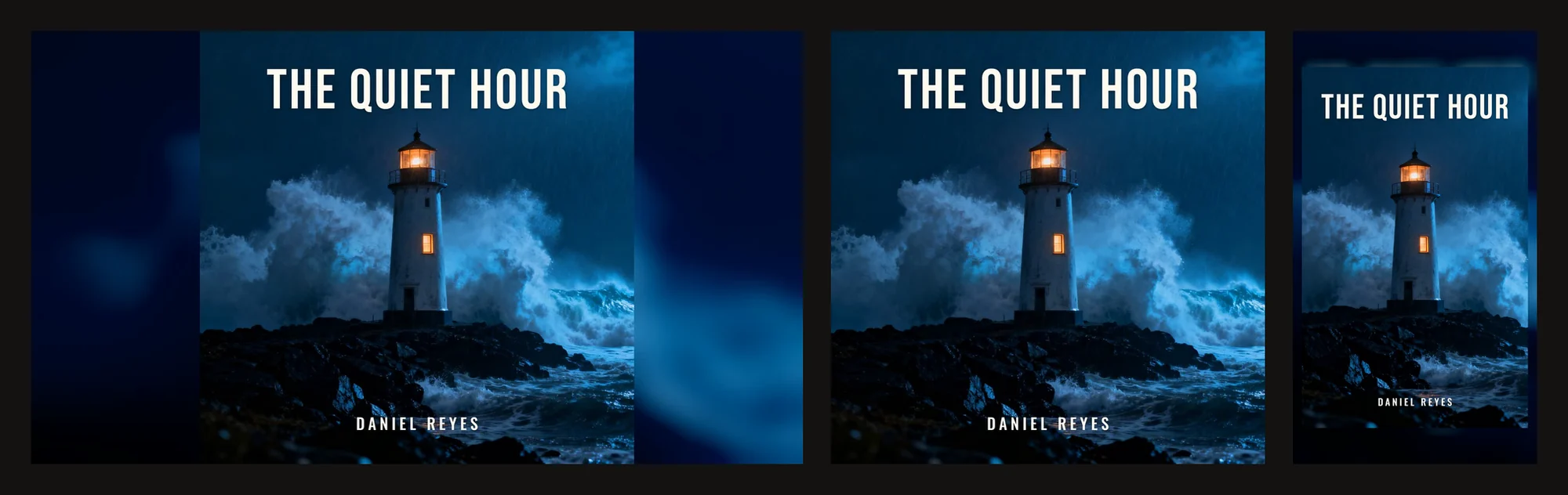 The same trailer in three shapes: 1920 × 1080 for YouTube, 1080 × 1080 for square posts, 1080 × 1920 for Shorts, Reels and TikTok
Book trailer sizes for each platform
| Platform | Shape | Size | Length |
|---|---|---|---|
| YouTube | 16:9 | 1920 × 1080 for 1080p | Any trailer length |
| YouTube Shorts | Square or vertical | 1080 × 1080 or 1080 × 1920 | Up to 3 minutes |
| Instagram Reels | Between 1.91:1 and 9:16, at least 30 frames a second | At least 720 pixels; 1080 × 1920 is a full vertical frame | Up to 20 minutes; over 3 minutes isn't recommended to new audiences |
| TikTok | Vertical | 720 × 1280 or higher | Up to 30 minutes in the TikTok Studio help |
TikTok's own pages disagree about the upper limit (its Creator Academy says 60 minutes), but a trailer is far below either. One vertical 1080 × 1920 file works on Shorts, Reels and TikTok; add a wide one for a YouTube channel page or your website.
Label AI pictures and voices
The big platforms ask you to disclose AI content that looks or sounds real:
- TikTok requires creators to label all AI-generated content that contains realistic images, audio, and video.
- Instagram and Facebook: Meta requires people to disclose, with its AI disclosure tool, photorealistic video or realistic-sounding audio that was digitally created or altered.
- YouTube requires creators to disclose AI-generated or altered content that seems realistic. Its examples that need no disclosure include using AI for a script or thumbnail, cloning your own voice for voice-overs, and clearly fantastical scenes; its page doesn't mention an AI voice reading a script.
An AI narrator is realistic-sounding audio, so on TikTok and Instagram turn the label on. On YouTube, disclosing costs you nothing when you aren't sure. If you publish the book itself on Amazon, KDP has its own AI disclosure, which covers AI-generated cover images.
Where to share your book trailer
- YouTube: a wide version on your channel, and the vertical one as a Short.
- Instagram and TikTok: the vertical version, with the title and author in the caption.
- Your website and newsletter: the wide or square version near the buy links.
- Amazon: Author Central's help page mentions uploading photos and videos to your author page; check in your account whether it is open to you.
FAQ
How long should a book trailer be?
Between 30 and 60 seconds works on every platform: enough for a hook, the premise and the title. Older guides suggest one to three minutes, but in short-video feeds the first seconds decide whether anyone stays.
How much does a book trailer cost?
Making one yourself costs your time. In our test the voice-over cost 1 credit, the cover pictures 1 credit each, and the editing nothing. Hiring a studio costs more, and prices vary widely, so ask for a quote that includes the number of revisions.
Can I make a book trailer with AI?
Yes. AI can draw the pictures and read the script. Write the script yourself, check every picture for mistakes, and label the video where the platform asks (see above).
Do I need music in a book trailer?
No. A clear voice and good pictures work without it. If you add music, use music licensed for every place you post.
What should a book trailer show?
Your cover, one or two pictures in the same look, and three or four lines of text. The cover goes last, with the title and author held on screen long enough to remember.
Can I make a book trailer from my audiobook?
Yes, and it is the quickest kind: a passage from the opening chapter over your cover. If your audiobook isn't made yet, the guide to making an audiobook covers the three ways to make one.